顯示具有 RaspberryPi 標籤的文章。 顯示所有文章

2015年10月29日 星期四

ATmega644 電視 輸出 微電腦 ㄇ RaspberryPi


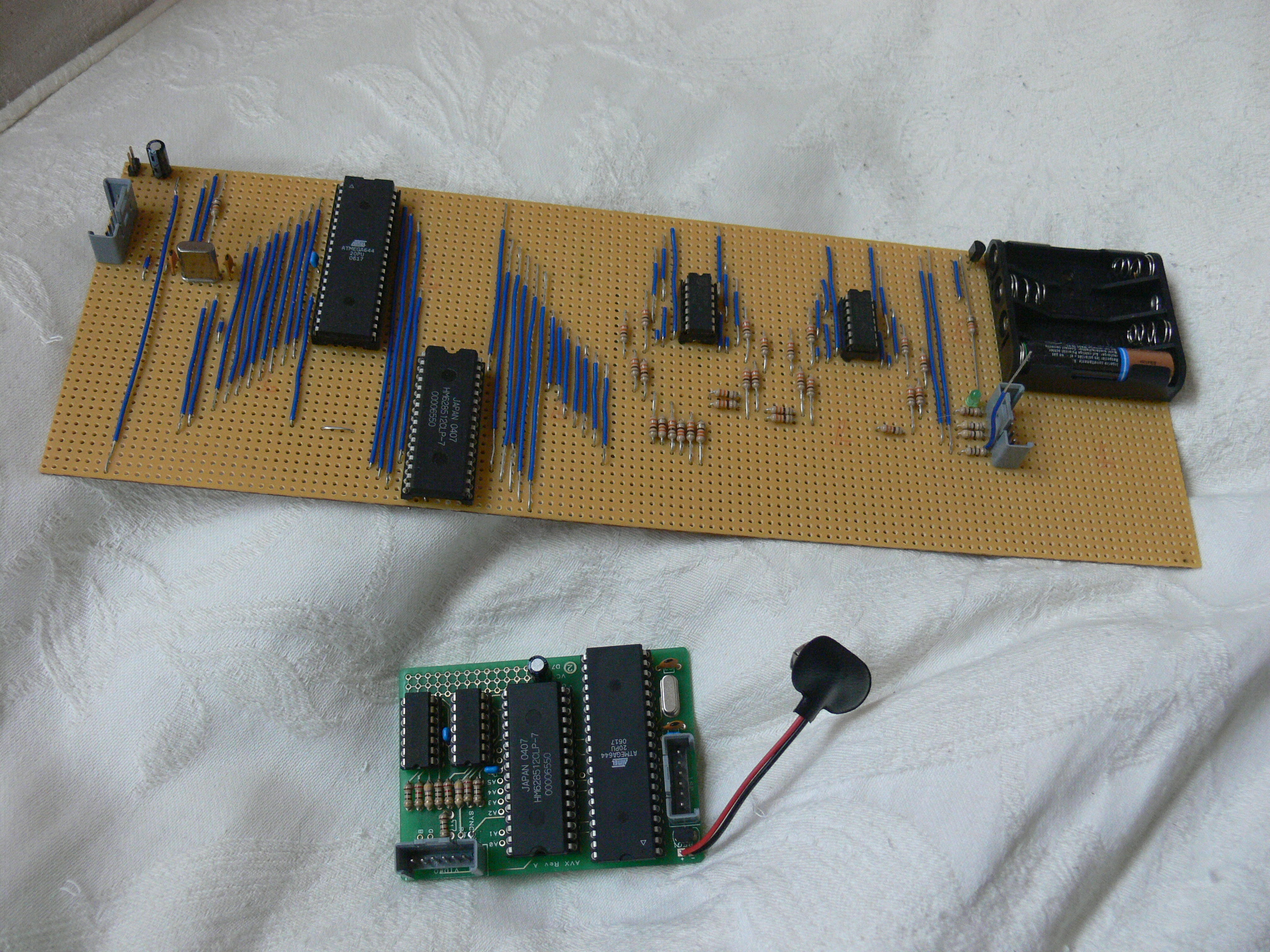
 筆者發文說他曾經做過的電路板 25元 美金

These boards use an Atmel ATmega644 microcontroller clocked at 22.1MHz,

 and a 512K SRAM for data and framebuffer storage.
32點io 點輸出
19 of the Atmel’s 32 GPIO lines are used to drive the SRAM address bus.
有一個螢幕輸出
To generate a 320×240 component video signal,
有序列輸出的模擬類比輸出
 the Atmel rapidly increments the address, and the data lines are fed via 74HC-series buffers to a trio of simple summing-point DACs; during horizontal and vertical blanking,


他是免費分享的
 it is free to perform other operations. Here’s a video of the device in action.
只是簡單的影片
Not quite Quake 3, I’m sure you’ll agree, but maybe familiar to fans of
也須你可以看看這個
 David’s 1987 classic Zarch.

In the end, I felt that much higher performance,

有電路文件與pcb分享
 and the ability to run a general-purpose operating system, outweighed the benefits of home assembly, but it’s still a neat design. Those of you interested in the gory details can download Easy-PC schematics and a PCB layout here.

Zarch.Easy-PC   here.


http://blog.atmel.com/2015/10/29/rewind-how-the-raspberry-pi-looked-back-in-2006/

2015年10月20日 星期二

抓取網路資訊用RaspberryPi顯示

http://www.pillakloud.com/tw/1162/當maker吧!使用視覺化元件,做出屬於自己專屬的應/

google
Node-Red RaspberryPi
http://thethingbox.io

Arduino Facebook Notifier (v.0.1.1)

arduino facebook notifier
https://learn.adafruit.com/raspberry-pi-hosting-node-red/what-is-node-red
about "node-red"
  1. An App on my phone called MQTTitude MQTTitudesend my location to Node-Red Node-Red
  2. The basic framework of my twitter message is then created in a function node
  3. I take my location and query Forecast.io for the weather at that location
  4. The returned data is then formatted in to my tweet message using further function nodes
  5. The message is then sent to a Tweet node and tweeted for me


抓取網路資訊用顯示

Node-Red是一個可視化的開發工具。它允許使用者通過組合多元化的視覺化元件來完成各式應用組合。這些視覺化元件可以是硬件設備(如:GPIO、智慧家庭周邊wemo)、Web API(如:WebSocket、HTTP、UDP)、功能函數(如:range)或者在線服務(如:twitter、mqtt)。

在Node-Red定義中,一個視覺化元件,就是一個node。一些nodes串接起來產生的應用,就是flow(流程)。基於網頁的開發環境,通過拖曳已定義的node到工作區並用線連接node創建流程來實現應用。

使用者通過點擊’Deploy’按鈕實現一鍵保存並執行。程序以JSON字符串的格式保存,方便用戶分享、修改。

使用Node-Red,可以輕鬆的建置屬於自己的專屬IFTTT應用 (If This Then That),更可以打造屬於自己的IOT (Internet Of Thing)

比如:
– 定期檢查網頁資訊,發現特殊變化,發送MQTT給指定topic
– 偵測伺服器是否存在,若不存在,發送Mail給指定收件者
– 指定時間,鬧鐘提醒
– 建立網路聊天室
– 指定時間開啟或關閉電燈

派樂雲整理了幾個教學文件,希望可以經由這些教學文件,體驗Node-Red的廣闊應用。

請參考Node-Red教學區Node-Red教學區